
Toyota 4Runner: Parts Location
Toyota 4Runner Service Manual / Vehicle Interior / Supplemental Restraint Systems / Airbag System / Parts Location
PARTS LOCATION
ILLUSTRATION
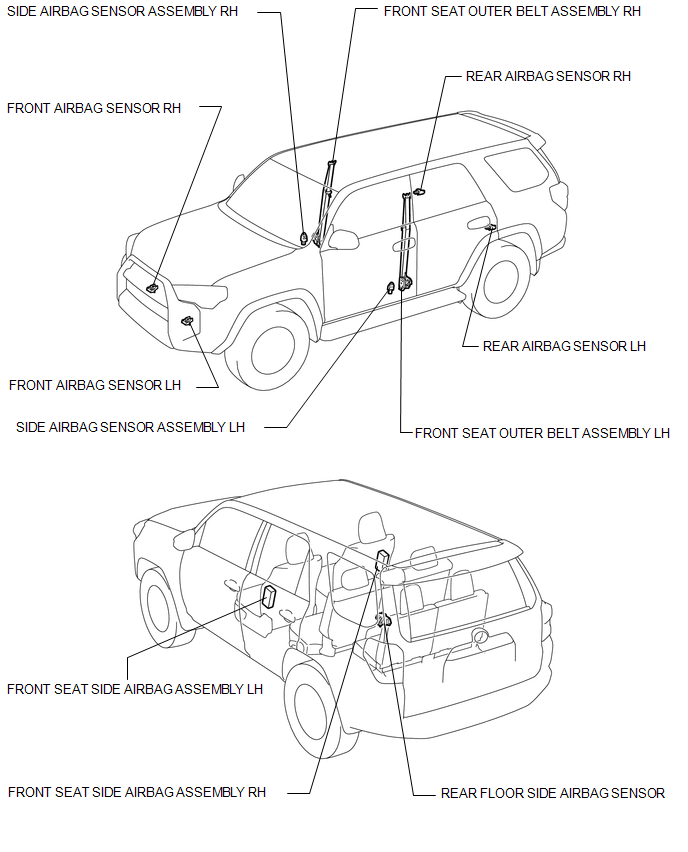
ILLUSTRATION
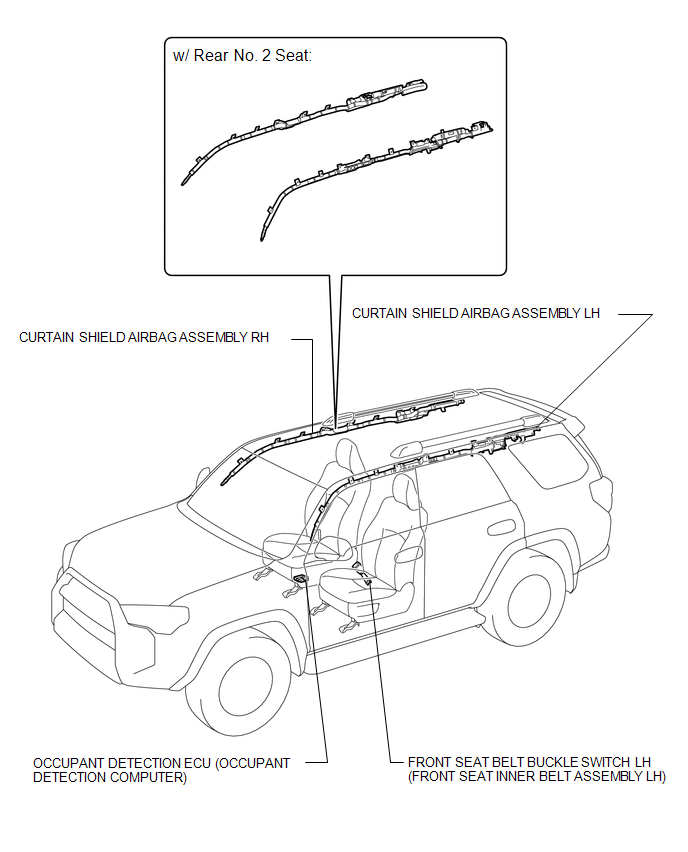
ILLUSTRATION
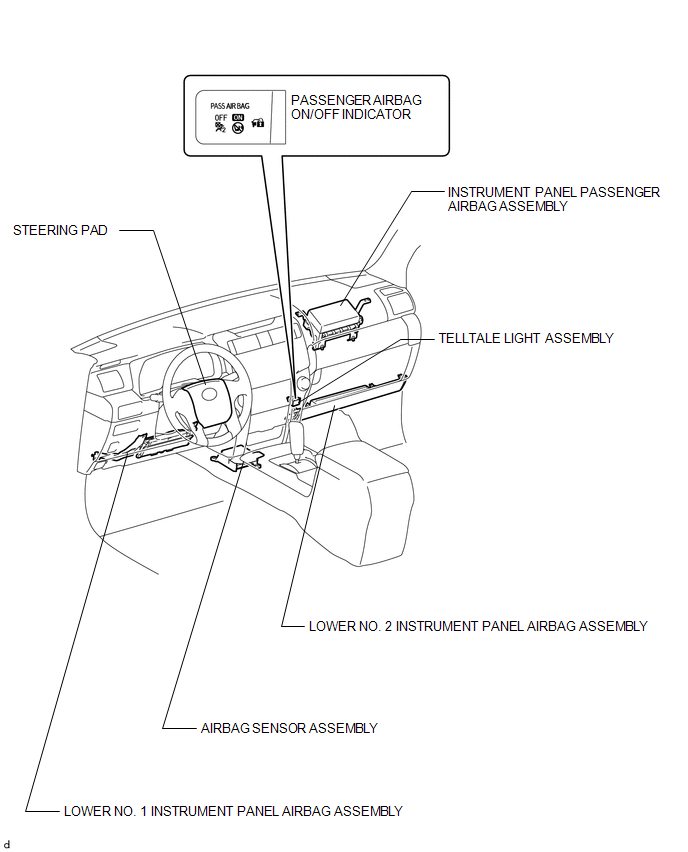
ILLUSTRATION
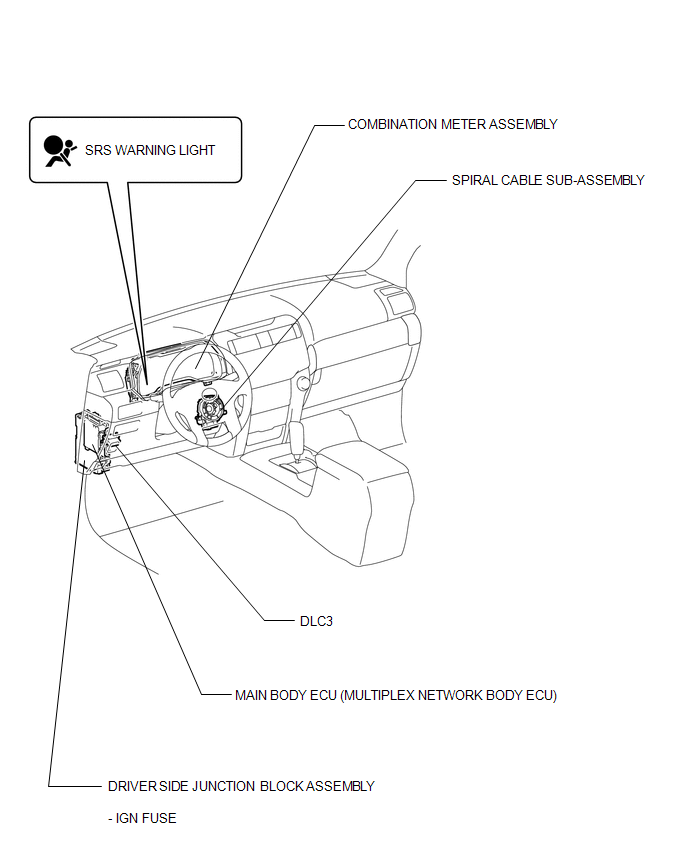
 Precaution
PRECAUTION
CAUTION:
This vehicle is equipped with a Supplemental Restraint System (SRS),
which consists of a steering pad, instrument panel passenger airbag, curtain
shield airbag, f ...
 System Diagram
SYSTEM DIAGRAM
Transmitting ECU
(Transmitter)
Receiving ECU
Signal
Communication Method
Center Airbag Sensor
ECM
...
Other materials about Toyota 4Runner:
Terminals Of Ecu
TERMINALS OF ECU
1. CHECK DRIVER SIDE JUNCTION BLOCK ASSEMBLY, MAIN BODY ECU (MULTIPLEX NETWORK
BODY ECU)
(a) Remove the main body ECU (See page ).
(b) Measure the voltage and resistance according to the value(s) in the table
below.
Termi ...
Steering Angle Sensor Initialization Incomplete (C1439,C1445)
DESCRIPTION
The skid control ECU acquires steering angle sensor zero point every time the
ignition switch is turned to ON and the vehicle is driven at 40 km/h (25 mph) or
more for approximately 10 seconds. The ECU also stores the previous zero point.
The ...
© 2016-2026 | www.to4runner.net

0.0259
0.0259