
Toyota 4Runner: Unlocking and locking the back door
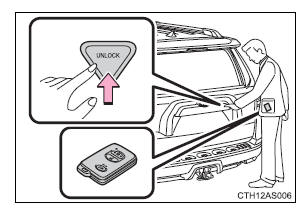
Press the button to unlock the door.
The back window can be opened by pressing and holding this button.
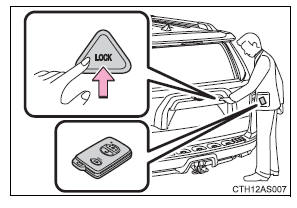
Press the button to lock the door.
The back window can be closed by pressing and holding this button.
 Opening the back door
Press the back door opener.
The back door can be opened even if it is locked. ...
 Antenna location and effective range
Antenna location
1. Antennas outside the cabin
2. Antennas inside the cabin
3. Antenna outside the luggage compartment
Effective range (areas within which the electronic key is detected)
Wh ...
Other materials about Toyota 4Runner:
Emission inspection and maintenance (I/M) programs
Some states have vehicle emission inspection programs which include OBD
(On Board Diagnostics) checks. The OBD system monitors the operation of the
emission control system.
If the malfunction indicator lamp comes on
The OBD system determines that a prob ...
Test Mode Procedure
TEST MODE PROCEDURE
NOTICE:
After replacing the master cylinder solenoid and/or yaw rate and acceleration
sensor, perform calibration.
VSC is prohibited during test mode.
HINT:
By switching the skid control ECU from normal mod ...

0.0231